

Back in early 2022, I wrote that the biggest expense of new software wasn't the subscription. It was the time and energy it took to onboard, integrate and customize it. We learned this firsthand from implementing a lot of software at Wave.
This also applies to websites. Your site likely runs plugins somebody installed years ago. Your forms feed your CRM, analytics and email tools. So, when you move it, you're moving one of your most important business assets.
A full backup of our old WordPress site revealed that we had 42 plugins installed and 24 of them were switched on. Three of the active ones built pages and sliders, and five did nothing but handle images. The other 18 were switched off, but still sitting on the server. That's the real inventory of a website, and it's what a migration has to deal with long before anyone looks at a new design.
Platform first, design second
Most marketing leaders start a migration by looking at the new design. I understand why. The design is what the CEO sees, and it feels like progress.
Google's guidance on site moves says to change one thing at a time. Its example is a company that wants a new domain, a new CMS and a new layout, and the advice is to do them one after another. A new platform and a new design in the same project is a huge change for Google to re-index, and in my experience it won't like that. So the first job is moving the site you have, as it is, onto a platform that's secure and fast. Redesign once it's settled. A straight port looks like your old site on better plumbing, and the cleaner, faster site your CEO is hoping for shows up with the redesign. Both are worth doing, in that order.
What moves
WordPress is plugin hell on a good day, so a good port starts with an inventory. Most of ours were there to hold WordPress itself together and had no job left on the new platform. The real work is the short list you want to keep, because some of those have no home there.
The plugins we missed most were the ordinary ones. Our internal linking and SEO plugins had done their job for years without anyone noticing, and the new platform didn't pick that up for us. SEO moved into Webflow's own fields, so every article filled its title and description from the post itself. For links, we built a related-articles block into the template, so every post linked to others on the same topic without anyone having to remember. Cookie consent needed a new answer too. You can rent a plug-and-play cookie tool, but every one I looked at was a monthly subscription for something we'd never paid for, so I built ours as a custom component. That's the 2022 lesson again. Whatever the old system did for you, you now build or rent, and either way you pay in time or money.
Your site is attack surface you own
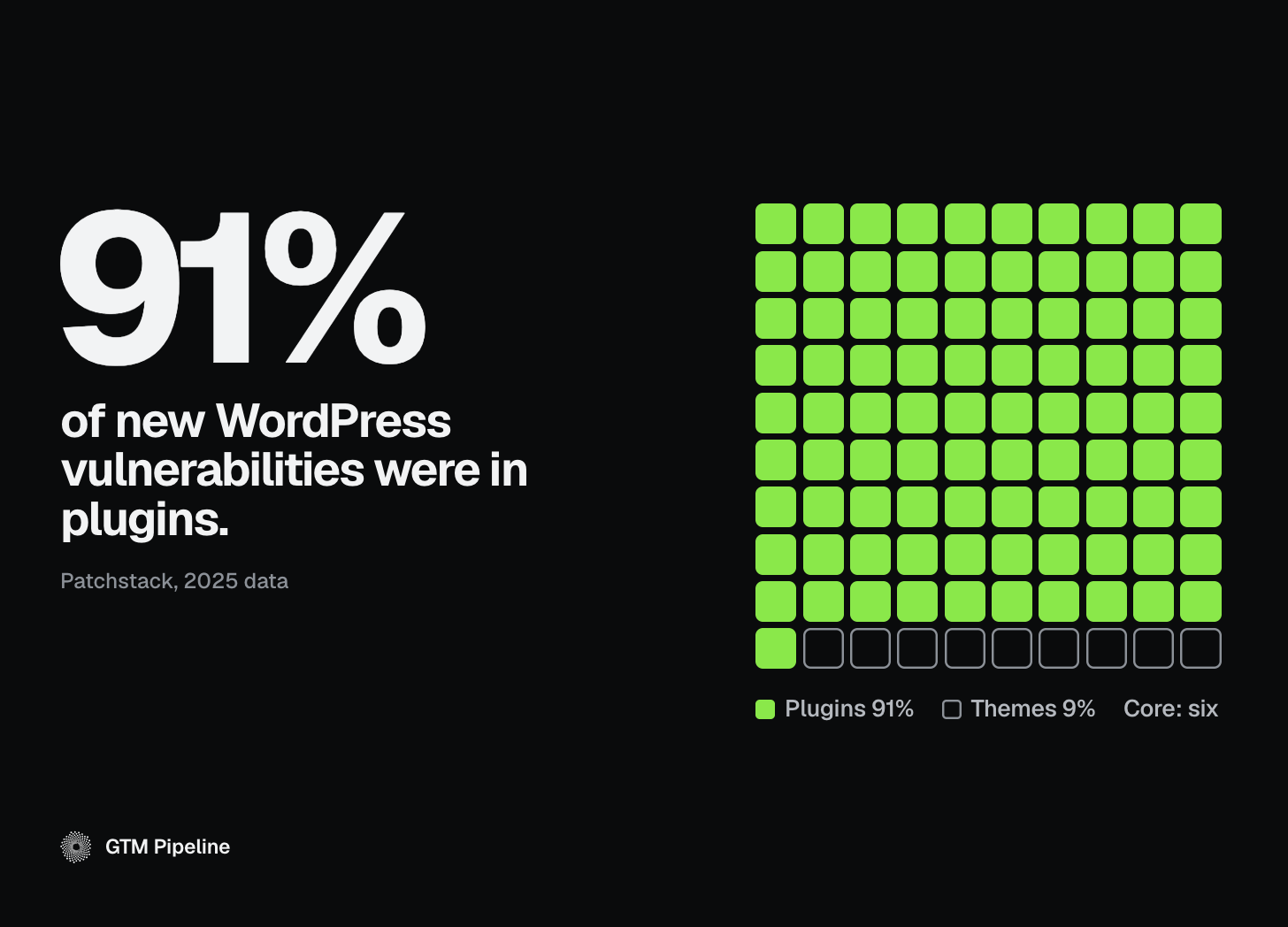
Every plugin is software somebody else wrote that you're now running. Patchstack's report on 2025 found that 91% of new vulnerabilities in the WordPress ecosystem were in plugins and 9% were in themes. Only six were reported in WordPress core.
You often can't tell how big the company behind a plugin is, or whether anyone there still maintains it, and most marketing teams don't have the bandwidth to vet them. So it's worth running through a few questions about your own site. When did you last update your theme? When did you last run a full security check on every plugin, including the ones that are switched off? Are those plugin vendors keeping up? If the answers take more than a minute to find, that's good to know before you move.
Webflow works differently because it's all in one. It's the host, and it handles the system integration and the updates. Its security page says every site gets a global CDN with DDoS protection and built-in rate limiting, and that patches and updates are automated with no customer maintenance. That's Webflow describing its own platform, and it lines up with why we recommend it to our clients. When the PHP flaws hit this fall, we watched how fast a patch became somebody's urgent problem, and we covered that in Black October: who patches your website?
Map the pages that count
Before you move, figure out which pages count. Your analytics will show you the pages that bring in visitors. In Google Search Console, the Links report shows the sites that link to you most and the pages they link to, under External links. Put those two lists together and you've got the map of everything that has to survive the move.
Is it traffic worth redirecting?
That's the biggest question in a migration, and it's easy to skip. The two quick answers are to point every old URL at the home page or to let old pages die quietly. Google says the first can be treated as soft 404s, and the second throws away links that other sites spent years pointing at you.
We've been living this one. Most of our old wavereps.com posts now redirect to GTM Pipeline, and with the change in what our company does, a lot of that content didn't really fit anymore. When you change your core business, you have to decide what gets left to 404 on purpose. A page that returns a 404 doesn't hurt how the rest of your site performs, and Google lists a 404 or 410 as the right response for content you've removed on purpose. The damage comes from a page that was bringing in links or visitors and now goes nowhere. Here's how I decide, by content type.
Current product page. 301 to the new product page.
Retired product. 301 to the closest current product in the same vein. If there isn't one, return a 410.
Article. 301 to the closest matching article, with the articles section page as the fallback.
Press release. Case by case. A release that still holds up and has links pointing to it gets a 301 to its closest match. The rest can retire with a 410.
Press releases deserve their own thought. A public company may want to keep its releases where they are, since they're already part of the public record. For everyone else, an old archive is usually full of links to products that no longer exist, partnerships that ended and people who've moved on. You can port all of it, but you'll be carrying those broken links to the new site. Retiring some of it is often the cleaner call.
Most migration guides stop at the 301, and I'd go one step further. Know which sites are sending people your way, and reach out to them to update the link to your new page. Google's site-move guidance recommends the same thing, starting with the links that send you the most visits. A redirect keeps the credit flowing, and an updated link means you don't need the redirect at all.
Why /articles/ matters
Most WordPress sites put every post at the top level of the domain, so the address is just the site name and the post title. To a search engine that looks like thousands of loose pages. Webflow's CMS puts posts in a collection folder anyway, so when we moved, our posts went from /post-name to /articles/post-name, with a 301 behind each one.
Google says a simple, logical URL structure helps it understand a site. I can only add what I saw after our move. The site was cleaner and easier to manage, and I think new posts got indexed faster and picked up by the AI engines faster too. That's what I saw on one site. What I'm sure of is that the folder tells a person and a machine exactly where your articles live, so sorting them by date and finding the one that matters gets easier.
Webflow also has a built-in field for llms.txt, the file some people say helps AI engines read your site. There's no evidence it gets you cited more, and Google says you don't need AI text files to appear in its AI features. But in Webflow you paste the file in and it's live, so you don't have to build a dedicated page for something that's unproven.
Start with a count
If you're migrating next quarter, take a full backup of your site this week, the way we did. Count the articles, count the plugins, and note which ones are switched on. People get overwhelmed when they think about a migration, and knowing how much you have is what tells you what it'll cost to move.
The rest is mapping, and we've done it enough times to know where the surprises hide. At GTMnext, the idea is that your marketing team picks up right where it left off while we do the heavy lifting. Hit reply with your plugin count and what's switched on, and I'll tell you what I'd keep and what I'd drop.